







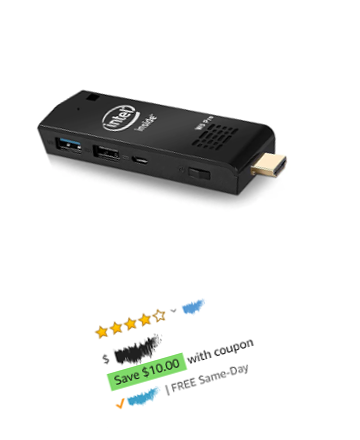
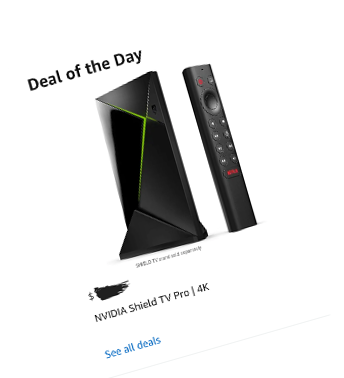
The MangoSign player software can be installed on a wide variety of hardware available worldwide.
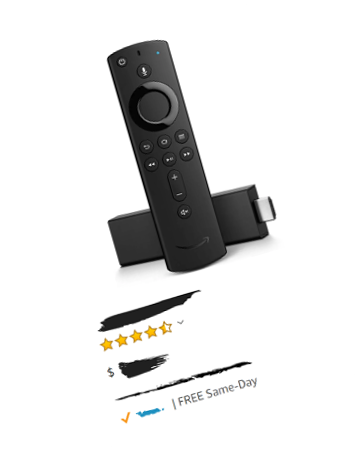
- Fire TV 4K Sticks (We do not recommend the Basic sticks)
- Android TV Boxes and Devices (Android 8.0+ recommended)
- Windows PCs and Compute Sticks (Windows 10 Recommended)
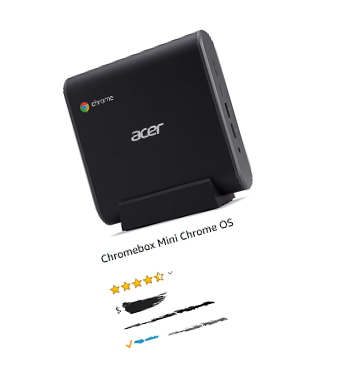
- Chrome OS devices
- Offline playback supported by all devices
- Want to purchase something already preconfigured?
Check out our MangoSign Box >




MangoSigns integrates with a growing list of Apps to help bring external content to your signs automatically
- Show your Facebook, Twitter, and Instagram Posts
- Display Google Documents such as Google Slides, Sheets and Docs
- Show local news, weather and traffic
- Customize every aspect and where the apps are located on your slides


Hundreds of Templates
Search through hundreds of carefully crafted templates created by our design team. Edit them right through your browser to personalize them for you.
New templates are constantly being added. Don't see one that you fits your needs? Let us know, and our design team can assist.

Animate anything and everything
- Make your content come alive with Entrance, Emphasis and Exit Animations
- Text animations can animate individual letters or words
- Preview exactly what the content will look like before sending to your signs

Customize content to fit your brand
- Choose fonts, colors and styles to deliver content that matches your brand
- Apply effects and animations to give it flare
- Our smart templates use your location, linked accounts, and brand settings automatically
- MangoSigns animated and 3D backgrounds will ensure your signs stand out
Powerful scheduling capabilities
- Choose exactly where and when your content should play
- Schedule content to play continuously daily, monthly, yearly and more
- Override existing scheduled content, or intersperse with it
- Play content based on custom conditions or triggers


Common questions about the templates, scheduling, apps, and customization features included in MangoSigns.
MangoSigns includes an in-browser content editor, hundreds of animated templates, powerful scheduling, unlimited slides, and app integrations for social media, weather, news, Google Drive, and more. Slides can include images, videos, animations, live data feeds, and 3D backgrounds. Premium and Enterprise plans also add unlimited users with role-based permissions.
Yes. You can build slides from scratch in the MangoSigns editor or start from one of hundreds of pre-designed templates and customize every aspect — text, colors, fonts, animations, images, and video. Your custom designs can be saved as reusable templates for your team.
Yes. MangoSigns supports entrance, emphasis, and exit animations on every element. You can animate individual letters, words, or entire objects, and preview exactly how the content will look before sending it to your screens. Animated and 3D backgrounds are included.
Yes. MangoSigns includes powerful scheduling that lets you choose exactly where and when each slide plays. Content can be scheduled daily, weekly, monthly, yearly, for specific date ranges, or triggered by custom conditions. You can also override existing schedules or interleave content with other slides.
MangoSigns integrates with Facebook, Instagram, YouTube, Google Slides, Google Docs, Google Sheets, Google Drive, Slack, live weather, scrolling news, and dozens more. The app library is updated regularly at no extra cost, and premium apps are included with the Premium and Enterprise plans.
Yes. The Google Drive integration lets you display any Google Slides presentation, Google Doc, or Google Sheet on your signs. Updates you make in Google Drive appear automatically on your screens without re-uploading.
Yes. MangoSigns can pull posts from your Facebook page, or Instagram account and display them on any slide. You control which posts appear, the layout, and how often the feed refreshes.
Yes. Every template supports custom fonts, colors, logos, and styling. Smart templates can use your linked account info and brand settings automatically, and MangoSigns includes animated and 3D backgrounds designed to make your signs stand out.